
Ritubon
by NCJK Pilot
Today’s work, in one calm place.
- Category
- Task planner
- Status
- Pilot on the web
- Interface
- English
- Role
- Product, design and engineering by NCJK
The problem
A day’s work is spread across too many places.
Tasks sit in one app, dates in a calendar, shared plans in a chat. Most planners ask for an account before the first task, and sharing a list usually means everyone has to sign up.
Purpose
Start in a second, share when it matters.
Ritubon puts today’s tasks, the calendar and collections of related work side by side. It works in the browser without an account. Signing in is only for syncing across devices and sharing with other people.
The core experience
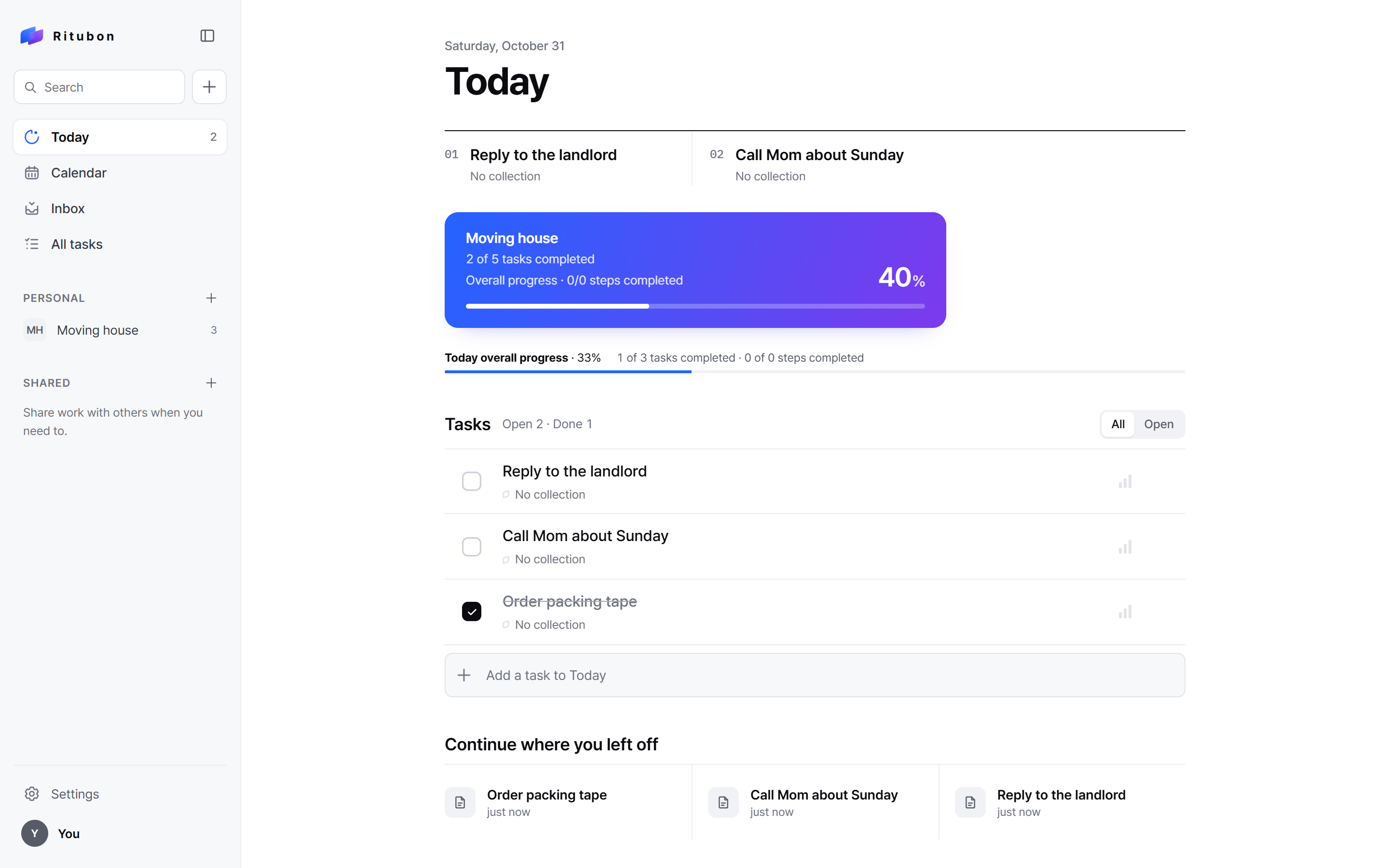
Today shows what matters, and how far each collection has come.
Today gathers what is due and what is overdue, puts the top priorities first, and shows a collection’s progress counted from its real tasks. A collection page keeps the tasks, steps and links of one piece of work together.
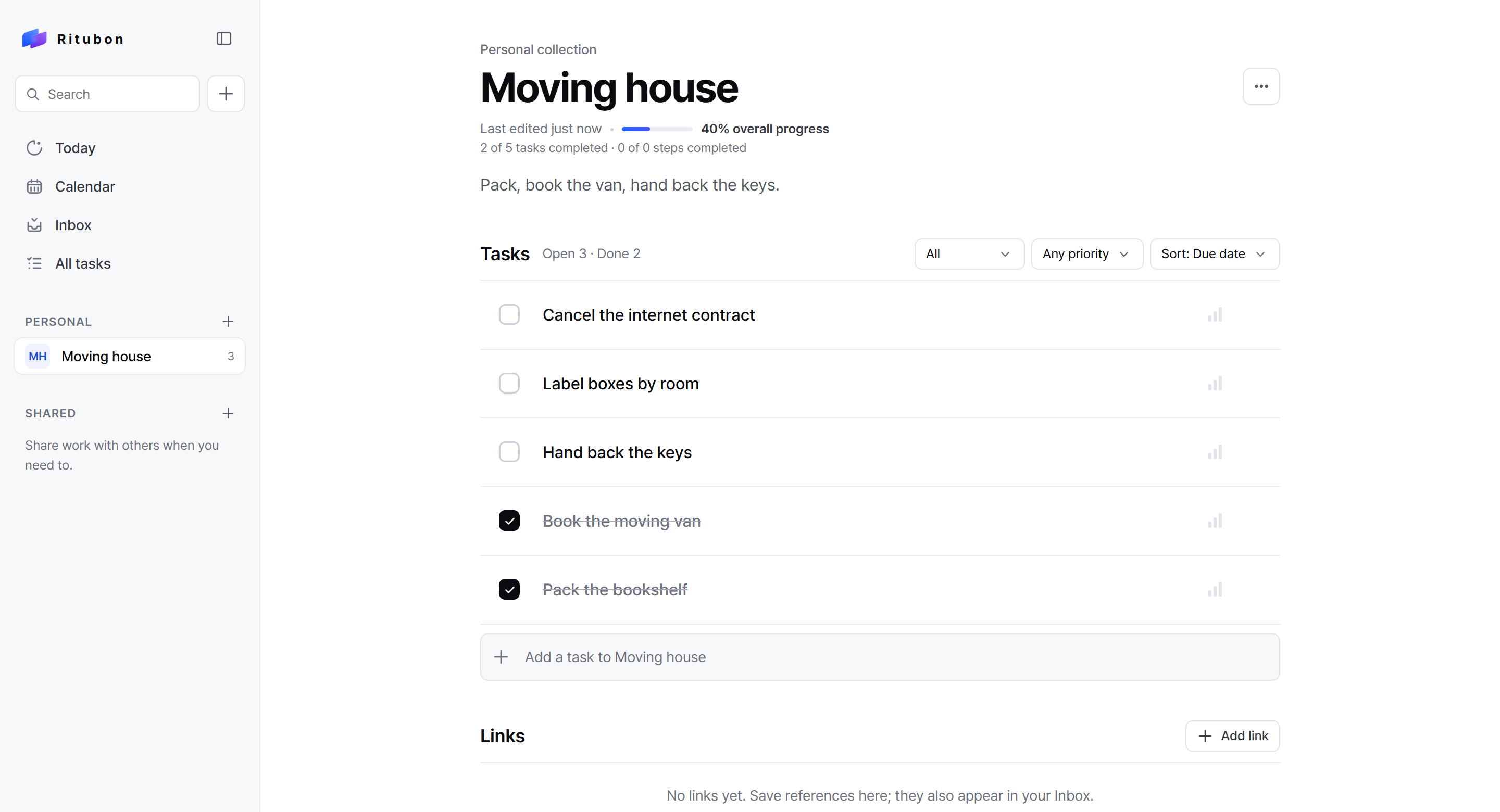
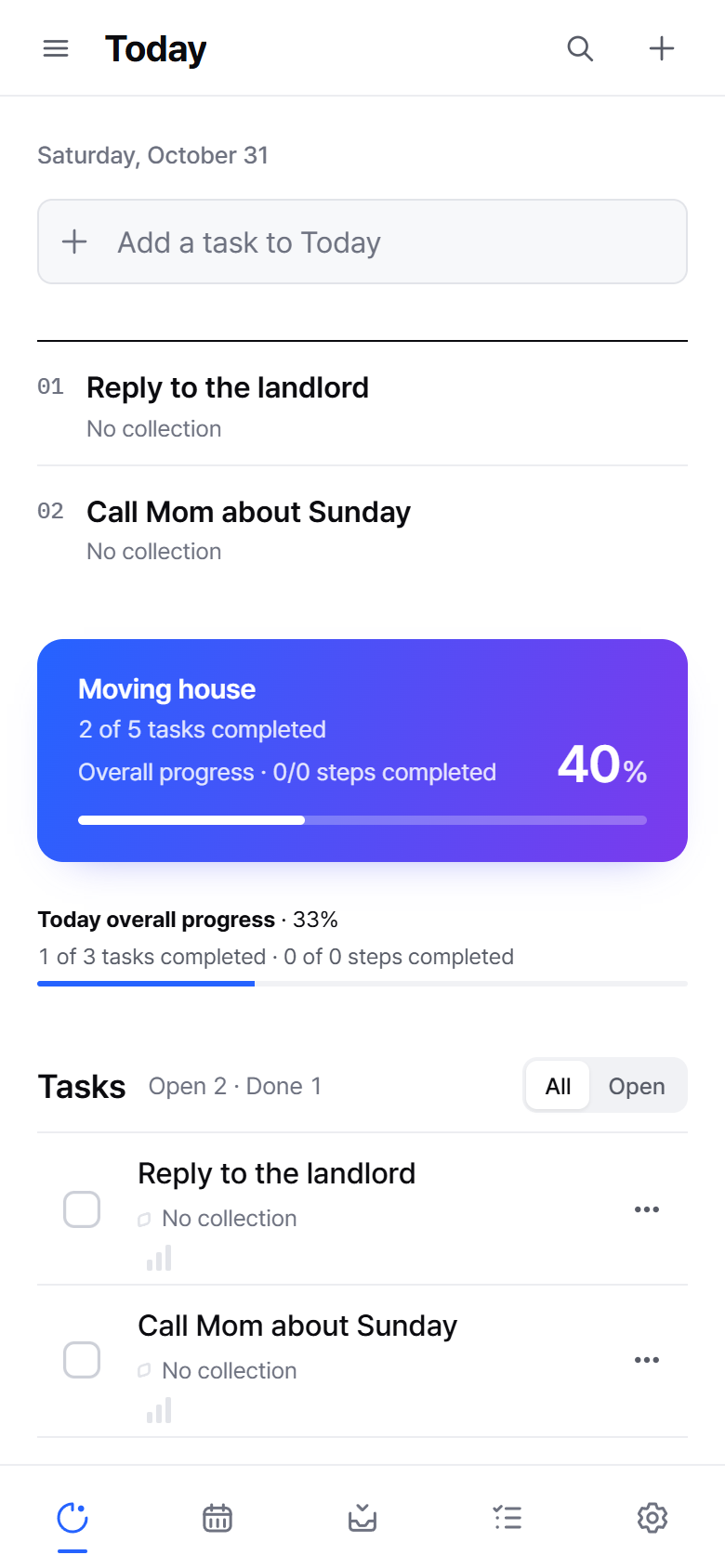
Live captures, ncjk.net/ritubon — October 2026. Sample tasks typed in for the capture.
Design decisions
Five decisions that shaped it.
-
No account to begin.
Tasks are saved in the browser from the first keystroke. Signing in with Google adds sync and sharing; it is never required to plan your own day.
-
Progress that tells the truth.
Percentages are counted from the tasks themselves. An empty collection says “No tasks yet” instead of 0%, and rounding never shows 100% until everything is done.
-
Invite without forcing sign-up.
People can join a shared collection as a guest with only a display name. Leaving deletes the guest’s data at once; unused guests are removed automatically.
-
The calendar is read, not taken.
Google Calendar connects read-only and appears next to the tasks. Tokens stay encrypted on the server and never reach the page.
-
Its own expression.
A clear, neutral workspace with a blue-to-violet mark and progress gradient that belong to Ritubon. Keyboard first: N for a new task, / or Ctrl K to search.
Where it runs
- Web Pilot ncjk.net/ritubon, open to try
- Phones and foldables Pilot The same web app, laid out for touch