GOIGOT
by NCJK Prototype
A small room of your own on the web.
- Category
- Personal homepage and taste archive
- Status
- Desktop web prototype (v0.5)
- Interface
- Korean
- Role
- Product, design and engineering by NCJK
Not public yet. No link until it can be used.
The problem
Taste gets flattened into a feed.
On today’s platforms, the layout, the order and what gets seen are decided for you. The personal homepages of the 1990s and 2000s let people arrange their own space, slowly and on their own terms. Little of that remains.
Purpose
Collect and arrange it yourself.
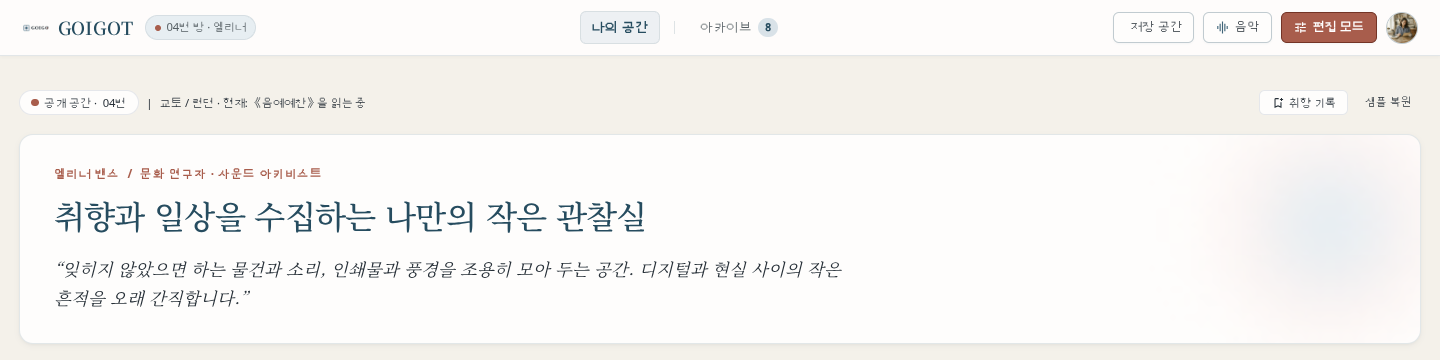
GOIGOT is a quiet space for the things you love: photos, music, films, places, notes and objects. Instead of following a feed, you gather them and lay out your own page.
The core experience
Place things where you want them, and the page looks the same.
In the edit studio, titles, photos, notes and stamps sit on a dot-grid canvas and move freely. What you arrange there is exactly what your home page shows. The archive keeps every record, sorted by kind and marked private or public.
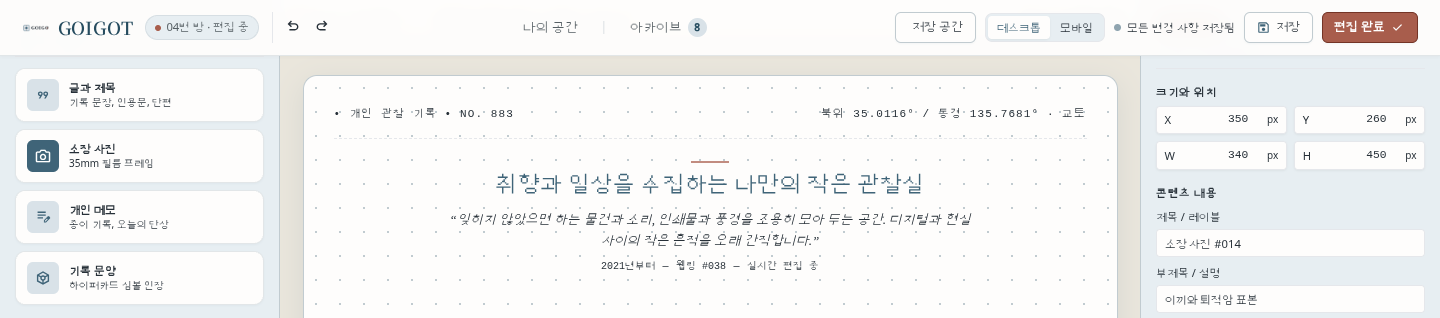
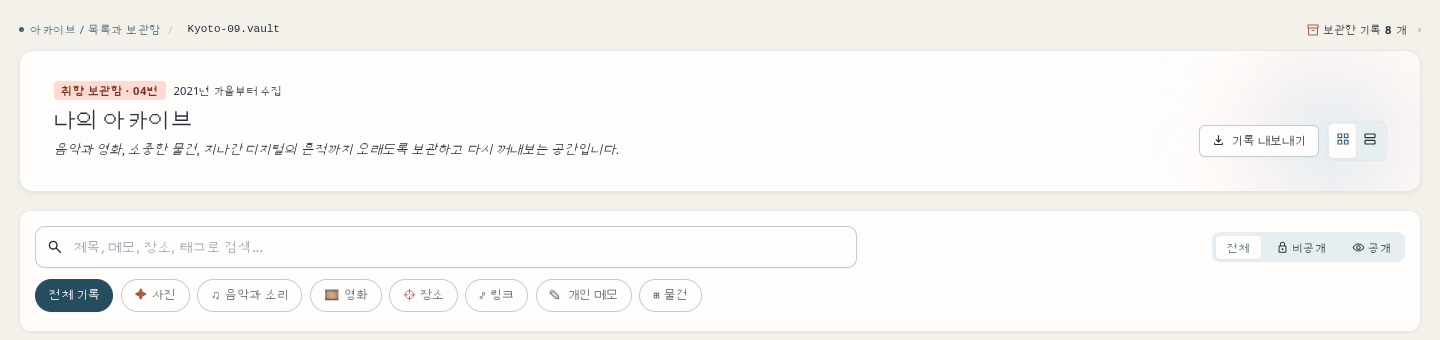
GOIGOT prototype v0.5 with sample content. Cropped above the sample photos. The interface is in Korean.
Design decisions
Five decisions that shaped it.
-
Modern in behaviour, retro in character.
Warm paper, dusty blue and terracotta, serif titles and tactile cassette, CD and MP3 player skins. Underneath, the editing behaves like a current tool: undo, layers, alignment and keyboard nudging.
-
Your files, on your own computer.
The prototype saves to a GOIGOT folder in your documents, so clearing the browser does not erase it. Snapshots and a one-click JSON backup make recovery simple.
-
Each element moves on its own.
Every element has its own identity, so moving one never shifts another. It is tested by moving a new element 25 times in a row.
-
A place, never an address.
Location is shown as a representative point for a region, with a clear note that it is not where you live. It can be hidden.
-
Fewer features, more space.
Collection shelves and badges were removed because they pulled attention away from the records. Every record was kept.
Where it runs
- Desktop web Prototype Chromium-based browsers, not released
- Mobile Readable Opens with a note that editing works best on a computer
- Production Next Moving from the HTML prototype to a production framework